Ok, this post may be old news to many … but it’s a question that I get asked frequently …
SMS text messages are limited to 160 characters, but on most GSM networks it is possible to send longer text messages. These messages go out as multiple physical SMS messages that are logically reassembled into a single long text message by the recipient handset.
How does this work? What are the message size considerations? What about special characters?
In GSM environments, an SMS message can contain up to 140 bytes (standard 8-bit bytes) of message data.
To squeeze in a few extra characters, the original SMS architects defined that SMS would use a restricted 7-bit character set which contains English characters, plus a few symbols, and some international characters for Western Europe and Greece (Greek capital letters are included).
When you send a text message, as long as the text only contains characters that are included in the GSM 7-bit character set , 160 7-bit characters are compressed into 140 8-bit bytes to produce the 160 character limit that we are so familiar with. (Note: 160 * 7 = 140 * 8 )
Here is the GSM 7-bit alphabet as defined in ETSI GSM 03.38. These characters can be used in a standard SMS message without requiring special encoding.
Hex | 0x | 1x | 2x | 3x | 4x | 5x | 6x | 7x |
x0 | @ | Δ | SP | 0 | ¡ | P | ¿ | p |
x1 | £ | _ | ! | 1 | A | Q | a | q |
x2 | $ | Φ | “ | 2 | B | R | b | r |
x3 | ¥ | Γ | # | 3 | C | S | c | s |
x4 | è | Λ | ¤ | 4 | D | T | d | t |
x5 | é | Ω | % | 5 | E | U | e | u |
x6 | ù | Π | & | 6 | F | V | f | v |
x7 | ì | Ψ | ‘ | 7 | G | W | g | w |
x8 | ò | Σ | ( | 8 | H | X | h | x |
x9 | Ç | Θ | ) | 9 | I | Y | i | y |
xA | LF | Ξ | * | : | J | Z | j | z |
xB | Ø | 1) | + | ; | K | Ä | k | ä |
xC | ø | Æ | , | < | L | Ö | l | ö |
xD | CR | æ | - | = | M | Ñ | m | ñ |
xE | Å | ß | . | > | N | Ü | n | ü |
xF | å | É | / | ? | O | § | o | à |
LF = line feed (0x0A)
CR = carriage return (0x0D)
SP = space character (0×20)
1) = Space holder for escape character. This character means that the character is from the GSM default alphabet extension table, and the extension code follows.
ETSI GSM 03.38 also defines a few characters that are represented by two 7-bit characters when included in a text message: “^”, “{“, “}”, “\”, “[", "]“, “~”, “” and “€”.
Here is the GSM 7-bit default alphabet extension table as defined in ETSI GSM 03.38. These characters can be used in a standard SMS message without requiring special encoding, but require 2 characters instead of 1. (Notice that there are, unfortunately, many usused character positions in this table.)
Hex | 0x | 1x | 2x | 3x | 4x | 5x | 6x | 7x |
x0 | | | | | | | | | |
x1 | | | | | | | | |
x2 | | | | | | | | |
x3 | | | | | | | | |
x4 | | ^ | | | | | | |
x5 | | | | | | | € | |
x6 | | | | | | | | |
x7 | | | | | | | | |
x8 | | | } | | | | | |
x9 | | | { | | | | | |
xA | | | | | | | | |
xB | | | | | | | | |
xC | | | | [ | | | | |
xD | | | | ~ | | | | |
xE | | | | ] | | | | |
xF | | | \ | | | | | |
If you want to send a message that contains characters that are not part of the GSM 7-bit character set, such as Chinese, Arabic, Thai, Cyrillic, etc., then the entire text of the SMS that actually goes out over the air needs to be encoded in the Unicode UCS-2 character set. In the UCS-2 character set, each character is encoded with 16-bits (or two 8-bit bytes). This means that an SMS message is limited to 70 16-bit Unicode characters (70 * 16 = 140 * 8 ).
If a message is larger than 140 8-bit bytes, then there are segmentation and reassembly standards defined, where a single logical message can be sent over the air using multiple physical SMS messages. The receiving client then has the ability to reassemble the segmented message so that it again appears as a single message on the receiving device.
When a long text message is segmented into multiple physical SMS messages, a special header is added to each physical SMS message so that the receiving client knows that it is a multipart SMS message that must be reassembled by the client. These headers are known as segmentation or concatenation headers. 6 bytes (8-bits each) are required for these concatenation headers in each physical SMS message. These headers are placed in the User Data Header (UDH) field of the message, but they do count against the overall size limit of the message.
If you send a long text message containing only characters that are part of the GSM 03.38 character set, then each SMS segment can contain up to 153 characters. (140 bytes – 6 bytes for the concatenation header leaves 134 available bytes, or 7 * 134 = 1072 bits. The most 7-bit characters that can be packed into 1072 bits is 153.)
If you send a long text message that includes any characters that require Unicode encoding, then each SMS segment can contain up to 67 characters. (67 * 16 = 1072 bits) (Note: Some versions of NowSMS defined a 63 character limit instead of 67, so you may need an update if you are seeing a segmentation break at 63 character intervals.)
If you’re submitting text via the NowSMS web interface (or direct HTTP URL submission), then NowSMS will automatically perform this segmentation to create the concatenation headers and properly encoded SMS message.
However, there are a few considerations that might be helpful to point out …
If you are using any national language characters that don’t show up correctly, then there may be a character set issue.
If the characters appear correctly when you use the built-in NowSMS web form, but they do not appear correctly when you submit via your own HTTP URL submission, then this is because NowSMS assumes that all text will be submitted using the UTF-8 character set. If you are using an alternative character set, such as the standard Western European character set (iso-8859-1) or Arabic (iso-8859-6), then you must include the character set in the URL submission using the parmater “&charset=”iso-8859-6″.
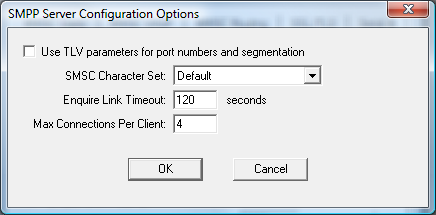
If there are a few incorrect characters and you are using an SMPP connection to your SMS service provider, go into the “Advanced Settings” for your SMPP connection configuration in NowSMS. Try changing the “SMSC Character Set” to the different available values to see if this makes a difference.
Characters that frequently cause a problem with SMPP connections are @ and € (Euro symbol). In the GSM character set, the @ character is represented as a null character. So if your provider truncates your message at the @ character, try changing your SMSC character set to iso-8859-1. If you are having problems with the € (Euro symbol), also try using iso-8859-1, or in newer versions of NowSMS, try the iso-8859-15 (Latin-9) character set, which some European operators are using for their SMSCs. A few operator systems use the Roman8 character set, which is another character set option in newer versions of NowSMS. Try these different character sets if you are having problems with only a few of the characters.
If, on the other hand, the resulting SMS message is complete garbage whenever you send a long text message, and you are using an SMPP connection to your SMS service provider, go into the “Advanced Settings” for your SMPP connection configuration in NowSMS. Try changing the “Encode long text messages with 7-bit packed encoding” setting to a different value to see if this makes a difference. (The SMPP specification is vague with regard to the correct encoding to use for this type of message, and different providers have interpreted it in different ways.)
If the resulting SMS message is complete garbage whenever you send a long text message, and you are using an HTTP connection to your SMS service provider, then you may need to ask your service provider for additional guidance. It is possible to configure NowSMS to not perform any message segmentation, and to let your service provider do this by checking “Send long messages without segmentation” in the properties of an HTTP SMSC connection. NowSMS 2007 also adds an option for whether or not to “Use 7-bit binary encoding for long text messages” (NowSMS defaults to using this 7-bit binary encoding, but this confuses many HTTP SMSC implementations). Note that if you turn off “Use 7-bit binary encoding for long text messages”, NowSMS will use the “URL Template Text” parameter when submitting the message to the SMSC, and you should include a @@UDH@@ replaceable parameter in that template to allow the segmentation details for the message to be included in the submission.
Update: A relatively new concept called SMS shift tables is designed to enable the sending of SMS messages using national language characters, without requiring the use (and associated limitations) of Unicode message encoding.